

Advanced Download Manager is a powerful tool for Android that allows parallel downloads of up to five files, leveraging multithreading for enhanced speed. It captures links from browsers and the clipboard, supports…
- Version 14.0.39
Information
- Version
- 14.0.39
- Size
- 48.44 MB
- Updated
- Oct 9, 2026
- Category
- Communication
- Google Play
- com.dv.adm
Description
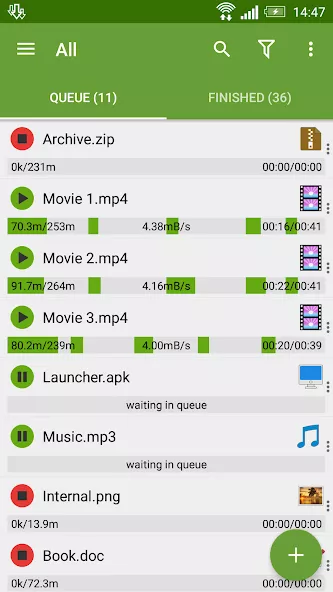
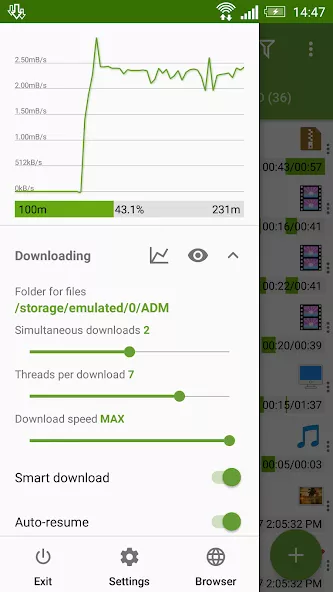
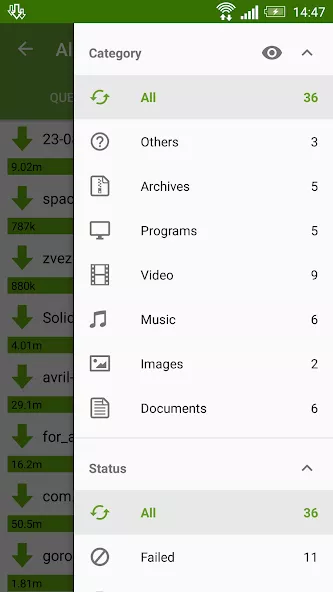
Advanced Download Manager is a powerful tool for Android that allows parallel downloads of up to five files, leveraging multithreading for enhanced speed. It captures links from browsers and the clipboard, supports background downloads, and enables resuming interrupted transfers. The app handles diverse file formats, including torrents, with personalized settings tailored to user preferences. Its intuitive interface, detailed notifications, and integrated browser make managing downloads efficient. Additional features like turbo mode and scheduling options further refine the download experience, making it perfect for handling large files and media.
Advanced Download Manager: A Powerful File Manager for Android
Advanced Download Manager is a robust Android app designed to streamline file downloads with advanced features like parallel transfers and multithreading. It supports downloading multiple files simultaneously, making it ideal for users who need to manage large media files or torrents efficiently. The app’s intuitive interface and customizable settings allow users to tailor their download experience to their preferences.
With background download support and resume functionality, this tool ensures uninterrupted transfers even when the app is closed. Its integrated browser and link-capturing capabilities enhance convenience, while turbo mode and scheduling options provide flexibility for time-sensitive downloads. Perfect for power users seeking control over their data management.
Key Highlights of Advanced Download Manager
- Parallel downloads with multithreading for faster transfers
- Capture links from browsers and clipboard for quick downloads
- Resume interrupted downloads with full file recovery
- Support for torrents and diverse file formats
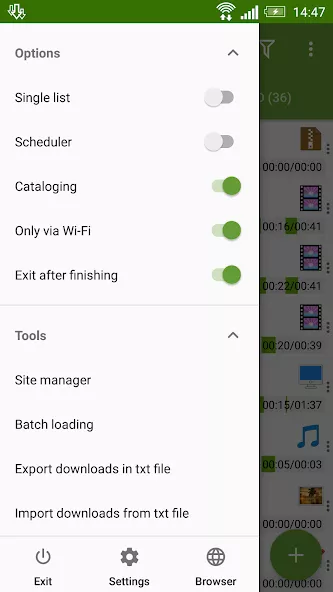
- Customizable settings for personalized download preferences
- Turbo mode and scheduling for optimized download times
Screenshots
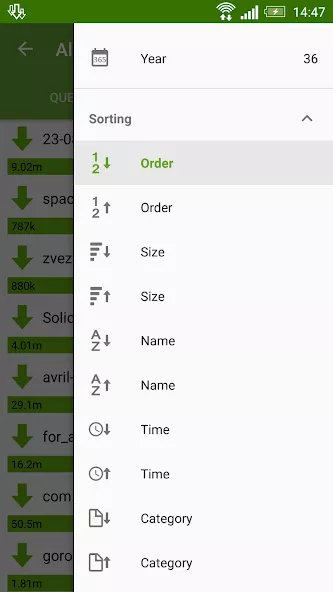
How to install
- Download the APK file above to your phone.
- Allow “Install unknown apps” when prompted.
- Open the downloaded APK and tap Install.
- If the package includes OBB/XAPK data, follow the bundled instructions.
MOD APKs are modified builds, so Play Protect may show a warning. Install only if you trust the file; use at your own risk.
You may also like
View all → PS4 Remote PlayCommunication
Oct 7, 2026v9.5.050.3 MB
PS4 Remote PlayCommunication
Oct 7, 2026v9.5.050.3 MB FacebookCommunication
Oct 9, 2026v581.0.0.45.5883.95 MB
FacebookCommunication
Oct 9, 2026v581.0.0.45.5883.95 MB TelegramPremium
Oct 7, 2026v12.6.363.83 MB
TelegramPremium
Oct 7, 2026v12.6.363.83 MB Turbo VPN – Unlimited Free VPNCommunication
Oct 7, 2026v4.3.1.291.21 MB
Turbo VPN – Unlimited Free VPNCommunication
Oct 7, 2026v4.3.1.291.21 MB WhatsApp BusinessCommunication
Oct 9, 2026v2.26.37.73102.84 MB
WhatsApp BusinessCommunication
Oct 9, 2026v2.26.37.73102.84 MB BitTorrent Pro – Torrent AppCommunication
Oct 9, 2026v8.2.5368.34 MB
BitTorrent Pro – Torrent AppCommunication
Oct 9, 2026v8.2.5368.34 MB