

MediaMonkey — a powerful media player that streamlines multimedia between your Android device and PC. It offers an array of features tailored for multimedia management, including music and video playback, audiobook and…
- MOD · Pro
- Version 2.1.1.1290
Information
- Version
- 2.1.1.1290
- Size
- 74.03 MB
- Updated
- Oct 8, 2026
- Category
- Music & Audio
- MOD info
- Pro
- Google Play
- com.ventismedia.android.mediamonkey
Description
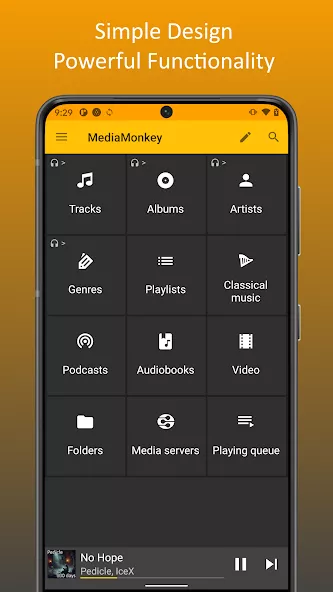
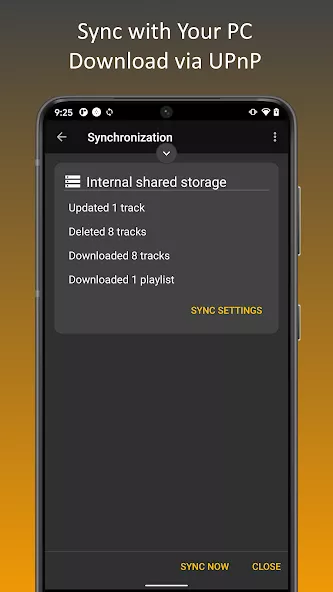
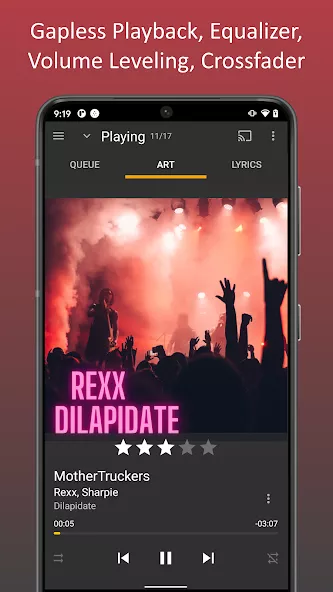
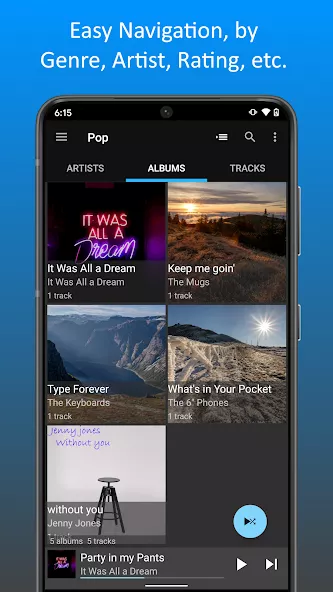
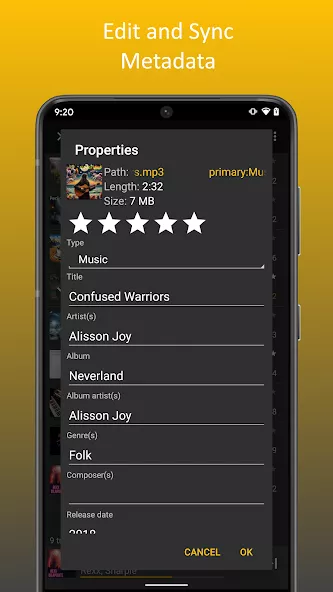
MediaMonkey — a powerful media player that streamlines multimedia between your Android device and PC. It offers an array of features tailored for multimedia management, including music and video playback, audiobook and podcast listening, and the ability to organize tracks by artist, album, and genre. Additional functionalities like EQ customization, sleep timers, favorites, widgets, search capabilities, multi-device broadcasting, and more enhance the experience. What sets MediaMonkey apart is its ability to synchronize your entire music library—complete with playlists, songs, and videos—between your computer and phone via Wi-Fi. The interface is intuitive, and a range of options allows for personalized customization.
Overview of the MediaMonkey App
MediaMonkey is a versatile multimedia player designed to handle music, video, audiobooks, and podcasts directly on your Android device while connecting smoothly with your computer. Developed by Ventis Media Inc., this music and audio application makes organizing your personal collection simple by sorting tracks according to artist, album, and genre. With an intuitive interface and customizable settings, the player ensures that browsing your files remains straightforward, whether you are listening to your favorite songs on the move or playing stored media files at home.
This application is ideal for audio enthusiasts, commuters, and avid listeners who want unified control over their multimedia library across both mobile and desktop platforms. Anyone with a large collection of podcasts, audiobooks, and playlists will appreciate the seamless Wi-Fi synchronization that links phone and computer files together. Furthermore, everyday listeners who enjoy tailoring sound with equalizer adjustments, using convenient home screen widgets, or setting sleep timers before bed will find it perfectly suited to their daily listening habits and personal playback routines.
Key Highlights and Main Features
- Wireless synchronization of your music library, playlists, and videos between PC and Android over Wi-Fi.
- Versatile playback supporting music tracks, video files, podcasts, and audiobooks.
- Organized library browsing categorized by artist, album, and genre with quick search capabilities.
- Built-in audio tools including customizable EQ settings, sleep timer, and favorites.
- Convenient Android widgets and multi-device broadcasting support for enhanced playback.
MediaMonkey Mod Features
- Pro Unlocked: Grants full access to all premium Pro features and advanced multimedia management options.
Screenshots
How to install
- Download the APK file above to your phone.
- Allow “Install unknown apps” when prompted.
- Open the downloaded APK and tap Install.
- If the package includes OBB/XAPK data, follow the bundled instructions.
MOD APKs are modified builds, so Play Protect may show a warning. Install only if you trust the file; use at your own risk.
You may also like
View all → FL Studio MobileUnlocked
Oct 7, 2026v4.10.19361.67 MB
FL Studio MobileUnlocked
Oct 7, 2026v4.10.19361.67 MB Edjing Mix: DJ music mixerPremium
Oct 8, 2026v7.33.02113.5 MB
Edjing Mix: DJ music mixerPremium
Oct 8, 2026v7.33.02113.5 MB Pulsar Music Player ProPro
Oct 8, 2026v1.13.11 build 29013.55 MB
Pulsar Music Player ProPro
Oct 8, 2026v1.13.11 build 29013.55 MB BitTorrent®- Torrent DownloadsMusic & Audio
Oct 7, 2026v8.3.19154.52 MB
BitTorrent®- Torrent DownloadsMusic & Audio
Oct 7, 2026v8.3.19154.52 MB Folder Player ProPro
Oct 8, 2026v6.01 build 3865.32 MB
Folder Player ProPro
Oct 8, 2026v6.01 build 3865.32 MB G-Stomper ProducerPro
Oct 8, 2026v5.9.4.7 build 72376.77 MB
G-Stomper ProducerPro
Oct 8, 2026v5.9.4.7 build 72376.77 MB