

Shizuku is a tool designed to elevate the Android experience by offering a streamlined interface for leveraging system APIs. Users can execute apps with advanced permissions without needing root access, making it a…
- Richiede: Android 7.0+
- Versione 13.7.0-thedjchi
Informazioni
- Versione
- 13.7.0-thedjchi
- Dimensione
- 3.48 MB
- Aggiornato
- 7 ott 2026
- Categoria
- Strumenti
- Richiede
- Android 7.0+
- Google Play
- moe.shizuku.privileged.api
Descrizione
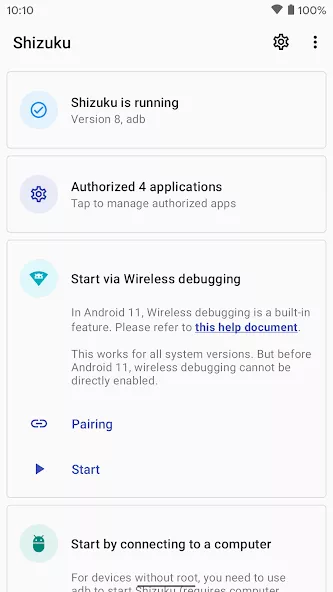
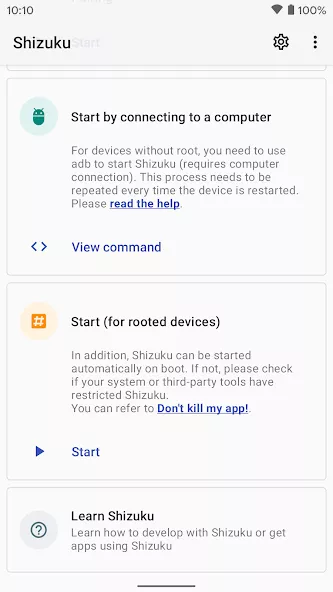
Shizuku is a tool designed to elevate the Android experience by offering a streamlined interface for leveraging system APIs. Users can execute apps with advanced permissions without needing root access, making it a powerful utility for enhanced functionality. The intuitive setup process simplifies device connection, while developers gain access to source code and detailed guides to integrate Shizuku into their projects, encouraging collaborative innovation and expanded use cases.
Overview of Shizuku Tools App
Shizuku is a specialized utility app developed by Xingchen & Rikka under the Tools category for devices running Android 7.0 and higher. Operating with a compact download size of under four megabytes, this lightweight system utility provides users with a clean, streamlined interface for directly utilizing system APIs. It bridges the gap between everyday Android capabilities and elevated system functions, enabling users to grant and run applications requiring higher-level privileges safely without going through the traditional rooting process.
This application is an excellent choice for Android enthusiasts who want enhanced device management and advanced app permissions without the complications of rooting their phones. Power users will appreciate the intuitive connection setup that quickly connects their device without extensive technical hurdles. At the same time, software creators and Android developers will gain substantial value from the accessible source code and comprehensive integration guides, which help foster collaborative innovation, streamline project workflows, and unlock broader use cases across their own software projects.
Key Highlights and Core Capabilities
- Streamlined interface designed to leverage powerful Android system APIs
- Executes apps with elevated permissions without requiring root access
- Intuitive device connection setup that simplifies initial configuration
- Full access to source code and detailed guides for software developers
- Encourages collaborative innovation and expands potential use cases
Screenshot
Come installare
- Scarica sul telefono il file APK qui sopra.
- Consenti «Installa app sconosciute» quando richiesto.
- Apri l’APK scaricato e tocca Installa.
- Se il pacchetto include dati OBB/XAPK, segui le istruzioni allegate.
Gli APK MOD sono versioni modificate, quindi Play Protect potrebbe mostrare un avviso. Installa solo se ti fidi del file; l’uso è a tuo rischio.
Potrebbe piacerti anche
Vedi tutto → Whale Cloud GamesStrumenti
7 ott 2026v2.10.7106.44 MB
Whale Cloud GamesStrumenti
7 ott 2026v2.10.7106.44 MB Google Play StoreStrumenti
7 ott 2026v956123247104.41 MB
Google Play StoreStrumenti
7 ott 2026v956123247104.41 MB XAPK Installer ProStrumenti
7 ott 2026v4.7.043.16 MB
XAPK Installer ProStrumenti
7 ott 2026v4.7.043.16 MB MT ManagerStrumenti
7 ott 2026v2.26.934.83 MB
MT ManagerStrumenti
7 ott 2026v2.26.934.83 MB vpnify – Unlimited VPN ProxyPremium
7 ott 2026v2.2.9.330.23 MB
vpnify – Unlimited VPN ProxyPremium
7 ott 2026v2.2.9.330.23 MB AirDroidStrumenti
7 ott 2026v4.3.12.053.53 MB
AirDroidStrumenti
7 ott 2026v4.3.12.053.53 MB