AppMgr Pro III (App 2 SD) is an all-in-one Android utility crafted to help you organize installed applications and free up device storage effortlessly. It allows you to transfer or archive apps between internal and…
- MOD · App 2 SD
- バージョン 6.15
情報
- バージョン
- 6.15
- サイズ
- 8.62 MB
- 更新日
- 2026年10月8日
- カテゴリ
- システム
- MOD情報
- App 2 SD
- Google Play
- com.a0soft.gphone.app2sd.pro
説明
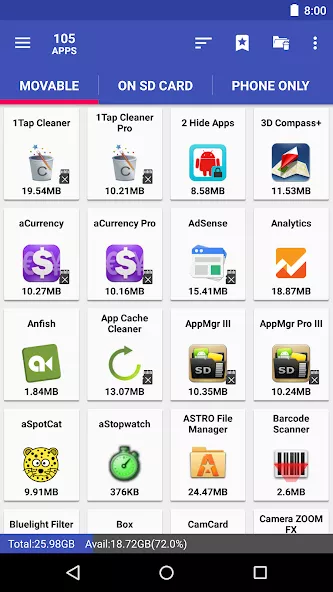
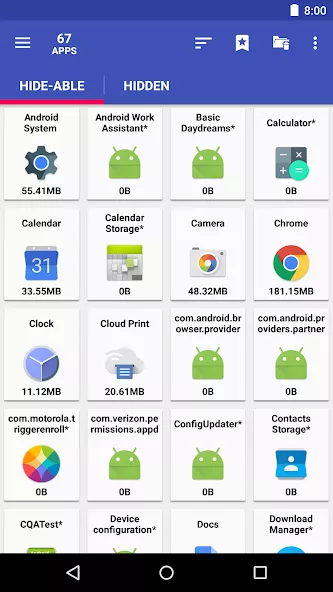
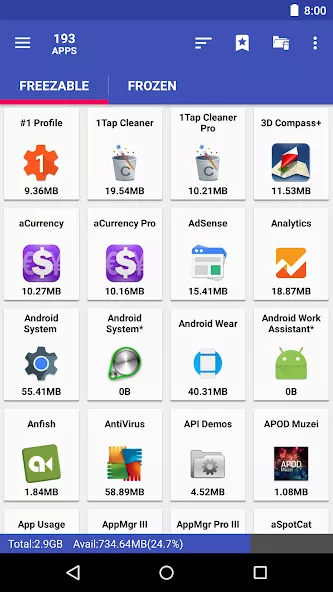
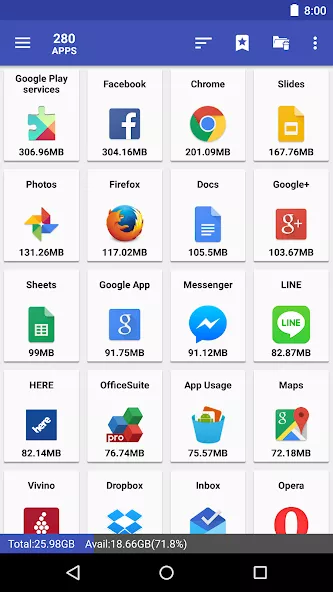
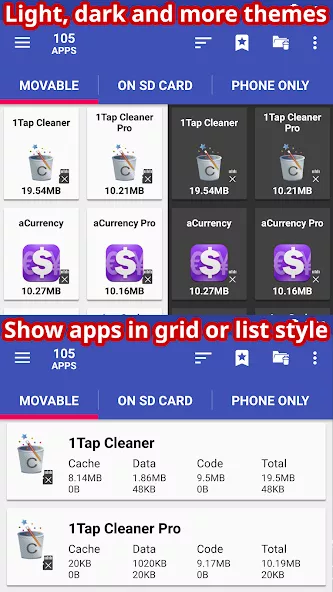
AppMgr Pro III (App 2 SD) is an all-in-one Android utility crafted to help you organize installed applications and free up device storage effortlessly. It allows you to transfer or archive apps between internal and external storage, conceal system applications from the app drawer, and freeze background apps to reduce CPU and RAM usage. To make maintenance faster, the tool includes batch actions for uninstalling, migrating, and sharing apps in bulk, alongside a built-in cache cleaner. You will also receive alerts whenever newly installed apps can be moved, plus quick-access home screen widgets for everyday convenience. For users with rooted devices, extra utilities such as a root app uninstaller and deep cache cleaner are unlocked to further boost your overall system management efficiency.
AppMgr Pro III (App 2 SD) Overview
AppMgr Pro III (App 2 SD) is a powerful Android utility designed to streamline app management and optimize device storage. It enables users to transfer or archive apps between internal and external storage, hide system apps from the app drawer, and freeze background apps to reduce resource usage. This tool is ideal for users seeking to declutter their devices and improve system performance.
With batch actions for uninstalling, migrating, and sharing apps, AppMgr Pro III (App 2 SD) simplifies bulk operations. Its built-in cache cleaner and alerts for newly installed apps that can be moved enhance efficiency. Quick-access widgets and root-specific tools (for rooted devices) further expand its utility for advanced users.
Key Highlights
- Move apps between internal and external storage to free up space
- Hide system apps from the app drawer for a cleaner interface
- Freeze background apps to lower CPU and RAM usage
- Perform batch uninstall, migrate, and share operations for multiple apps
- Built-in cache cleaner to optimize storage
- Receive alerts for apps that can be moved to external storage
スクリーンショット
インストール方法
- 上のAPKファイルをスマートフォンにダウンロードします。
- 確認が表示されたら「不明なアプリのインストール」を許可します。
- ダウンロードしたAPKを開き「インストール」をタップします。
- OBB/XAPKデータが含まれる場合は、同梱の手順に従ってください。
MOD APKは改変版のため、Play Protectが警告を表示することがあります。ファイルを信頼できる場合のみ、自己責任でインストールしてください。