

Advanced Download Manager is a powerful tool for Android that allows parallel downloads of up to five files, leveraging multithreading for enhanced speed. It captures links from browsers and the clipboard, supports…
- Phiên bản 14.0.39
Thông tin
- Phiên bản
- 14.0.39
- Dung lượng
- 48.44 MB
- Cập nhật
- 9 thg 10, 2026
- Thể loại
- Liên lạc
- Google Play
- com.dv.adm
Mô tả
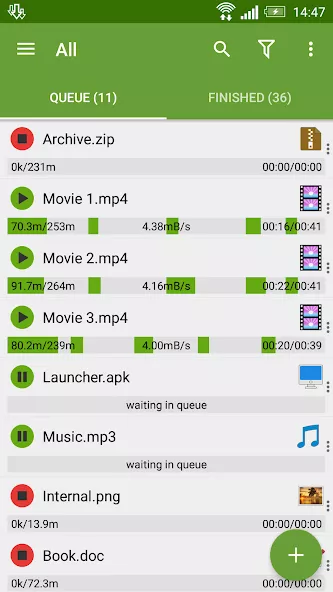
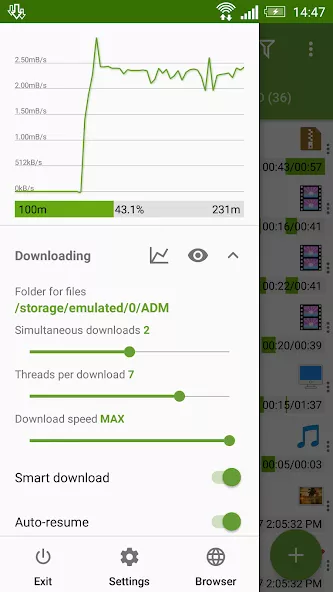
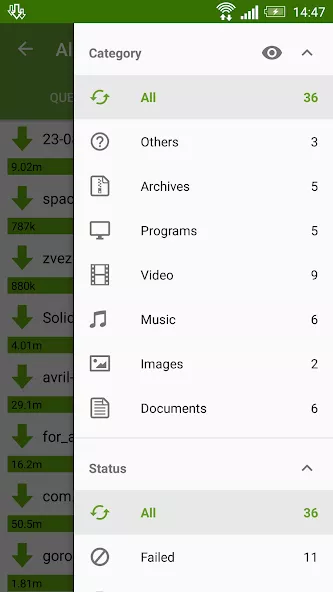
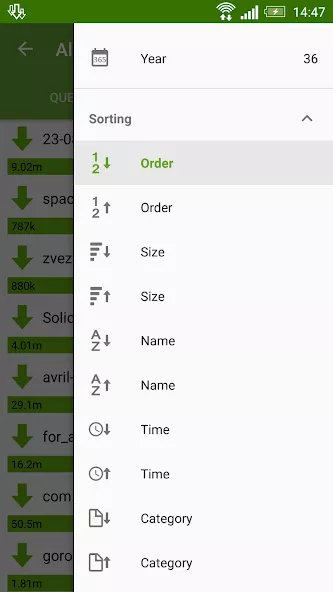
Advanced Download Manager is a powerful tool for Android that allows parallel downloads of up to five files, leveraging multithreading for enhanced speed. It captures links from browsers and the clipboard, supports background downloads, and enables resuming interrupted transfers. The app handles diverse file formats, including torrents, with personalized settings tailored to user preferences. Its intuitive interface, detailed notifications, and integrated browser make managing downloads efficient. Additional features like turbo mode and scheduling options further refine the download experience, making it perfect for handling large files and media.
Advanced Download Manager: A Powerful File Manager for Android
Advanced Download Manager is a robust Android app designed to streamline file downloads with advanced features like parallel transfers and multithreading. It supports downloading multiple files simultaneously, making it ideal for users who need to manage large media files or torrents efficiently. The app’s intuitive interface and customizable settings allow users to tailor their download experience to their preferences.
With background download support and resume functionality, this tool ensures uninterrupted transfers even when the app is closed. Its integrated browser and link-capturing capabilities enhance convenience, while turbo mode and scheduling options provide flexibility for time-sensitive downloads. Perfect for power users seeking control over their data management.
Key Highlights of Advanced Download Manager
- Parallel downloads with multithreading for faster transfers
- Capture links from browsers and clipboard for quick downloads
- Resume interrupted downloads with full file recovery
- Support for torrents and diverse file formats
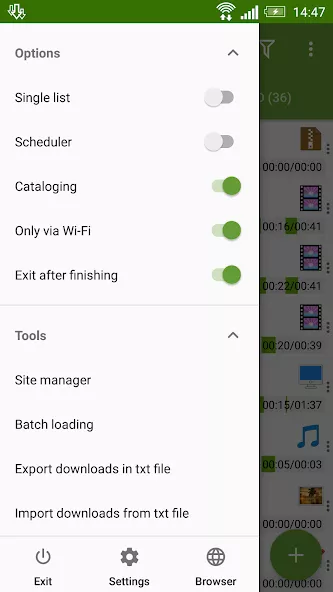
- Customizable settings for personalized download preferences
- Turbo mode and scheduling for optimized download times
Ảnh chụp màn hình
Cách cài đặt
- Tải file APK ở trên về điện thoại.
- Bật “Cho phép cài đặt từ nguồn không xác định” khi được hỏi.
- Mở file APK vừa tải và bấm Cài đặt.
- Nếu có file OBB/XAPK, làm theo hướng dẫn đi kèm.
MOD APK là bản đã chỉnh sửa nên Play Protect có thể cảnh báo. Hãy chỉ cài khi bạn tin tưởng file và tự chịu trách nhiệm khi sử dụng.
Có thể bạn thích
Xem tất cả → PS4 Remote PlayLiên lạc
7 thg 10, 2026v9.5.050.3 MB
PS4 Remote PlayLiên lạc
7 thg 10, 2026v9.5.050.3 MB FacebookLiên lạc
9 thg 10, 2026v581.0.0.45.5883.95 MB
FacebookLiên lạc
9 thg 10, 2026v581.0.0.45.5883.95 MB TelegramPremium
7 thg 10, 2026v12.6.363.83 MB
TelegramPremium
7 thg 10, 2026v12.6.363.83 MB Turbo VPN – Unlimited Free VPNLiên lạc
7 thg 10, 2026v4.3.1.291.21 MB
Turbo VPN – Unlimited Free VPNLiên lạc
7 thg 10, 2026v4.3.1.291.21 MB WhatsApp BusinessLiên lạc
9 thg 10, 2026v2.26.37.73102.84 MB
WhatsApp BusinessLiên lạc
9 thg 10, 2026v2.26.37.73102.84 MB BitTorrent Pro – Torrent AppLiên lạc
9 thg 10, 2026v8.2.5368.34 MB
BitTorrent Pro – Torrent AppLiên lạc
9 thg 10, 2026v8.2.5368.34 MB