
AdGuard: Content Blocker is a powerful ad-blocking solution tailored for Yandex.Browser and Samsung Internet users on Android, offering protection without needing root access. It blocks disruptive ads to enhance…
- Requires: Android 4.0.3+
- Version 4.14.68
Information
- Version
- 4.14.68
- Size
- 61.2 MB
- Updated
- Oct 8, 2026
- Category
- Tools
- Requires
- Android 4.0.3+
- Google Play
- com.adguard.android.contentblocker
Description
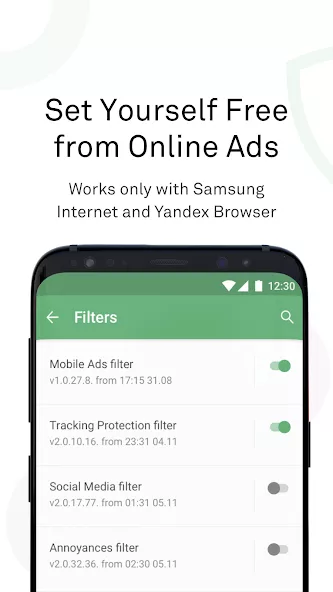
AdGuard: Content Blocker is a powerful ad-blocking solution tailored for Yandex.Browser and Samsung Internet users on Android, offering protection without needing root access. It blocks disruptive ads to enhance battery efficiency and conserve mobile data. Users can select from more than 20 adjustable adblock lists, with the ability to whitelist preferred sites. Custom filter creation is supported for personalized browsing, while privacy remains a top priority, supported by years of experience in online security. As an open-source project, AdGuard ensures transparency by sharing its code publicly.
AdGuard Overview and Browsing Protection
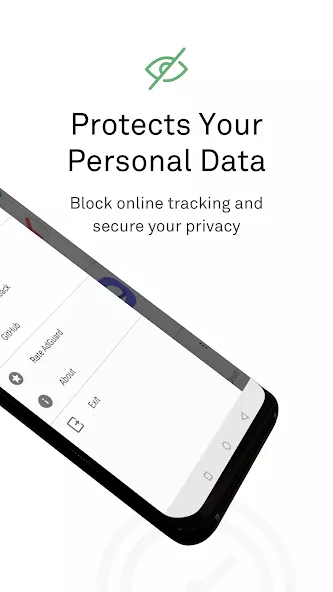
AdGuard is a dedicated ad-blocking utility developed for Android users running Yandex Browser or Samsung Internet. Functioning as a specialized content blocker without requiring root access, the app intercepts intrusive advertisements directly within supported browsers. By eliminating unwanted banners and pop-ups, AdGuard effectively reduces mobile data usage and helps extend battery efficiency during daily web activities. The application is maintained as an open-source tool, allowing anyone to verify its code publicly for complete privacy and operational transparency.
This tool is ideal for everyday internet users who seek a cleaner, faster browsing environment without altering system settings or rooting their devices. People who frequently surf the web through Samsung Internet or Yandex Browser will appreciate the ability to conserve their mobile data allowances and preserve device battery life. Moreover, privacy-conscious individuals and power users who value open-source integrity can take advantage of extensive personalization tools, including customizable filter lists and site whitelisting, to fine-tune their web experience to their exact preferences.
Key Highlights and Features
- Tailored content blocking for Yandex.Browser and Samsung Internet without root access
- Blocks disruptive advertisements to conserve mobile data and enhance battery efficiency
- Selection of more than 20 adjustable adblock lists to customize protection
- Support for whitelisting preferred websites and creating custom filters
- Transparent open-source project backed by established online security experience
Screenshots

How to install
- Download the APK file above to your phone.
- Allow “Install unknown apps” when prompted.
- Open the downloaded APK and tap Install.
- If the package includes OBB/XAPK data, follow the bundled instructions.
MOD APKs are modified builds, so Play Protect may show a warning. Install only if you trust the file; use at your own risk.